
React allows us to send information to a Component using something named props. Props are basically a kind of global variable or object. In this post, we will read about this in more detail.
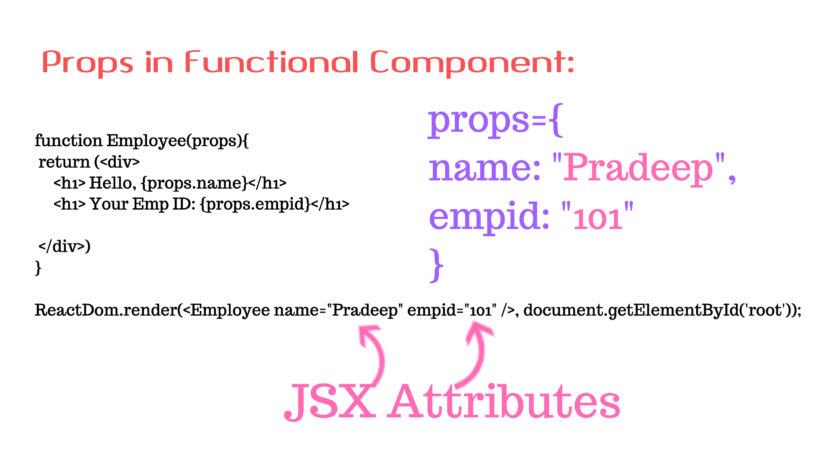
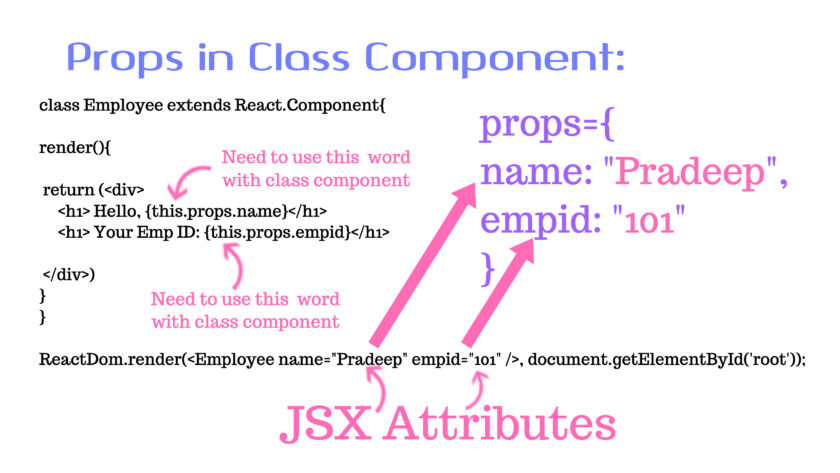
When React sees an element representing a user-defined component, it passes JSX attributes to this component as a single object. We call this object “props”.
We can pass props to any component as we assign attributes to any HTML tag. Take a quick look at the below code snippet:
For Example:
In the above code snippet, we are passing a prop named ‘name’, ’empid’ to the component named “Employee”. This prop has a value “Pradeep”, “101”. Let us now see how can we access these props.
Below is an example program to show how to pass and access props from a component:
Props in Function-Based Component:
// functional Employee component
import React from 'react';
import ReactDOM from 'react-dom';
function Employee(props){
return (
Hello, {props.name}
Your Emp ID: {props.empid}
)
}
ReactDOM.render(
Output:

Props in Class-Based Component:
// Class-Based Employee Component
import React from 'react';
import ReactDOM from 'react-dom';
class Employee extends React.Component{
render(){
return (
Hello, {this.props.name}
Your Emp ID: {this.props.empid}
)
}
}
ReactDOM.render(
The output of this program will be the same as that of the above program.
Note:-
- If you pass no value for a prop, it default to true.
- Whether you declare a component as a function or class, it must never modify its own props.
- All React components must act like pure function with respect to their props.
Passing information from Parent component to Child Component
We’re going to view two components Parent and Children to make this clear. We will pass some information from our parent component to the child component as props. We can pass as many props as we want on a component.
For Example:
import React from 'react';
import ReactDOM from 'react-dom';
// Parent Component
class Parent extends React.Component{
render(){
return(
You are inside Parent Component
You are inside Child Component
Hello, {this.props.name}
Your employee id is: {this.props.empid}
);
}
}
ReactDOM.render(
// passing props
Output :-
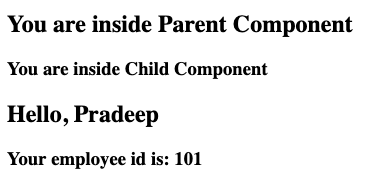
So we’ve seen React props, and we’ve also found how to use props, how to pass them on to a component, how to access them inside a component, and much more. We used the “this.props.propName” portion very often to receive props in these details of the situation.
Reference:
https://reactjs.org/docs/components-and-props.html

Pradeep Maurya is the Professional Web Developer & Designer and the Founder of “Tutorials website”. He lives in Delhi and loves to be a self-dependent person. As an owner, he is trying his best to improve this platform day by day. His passion, dedication and quick decision making ability to stand apart from others. He’s an avid blogger and writes on the publications like Dzone, e27.co